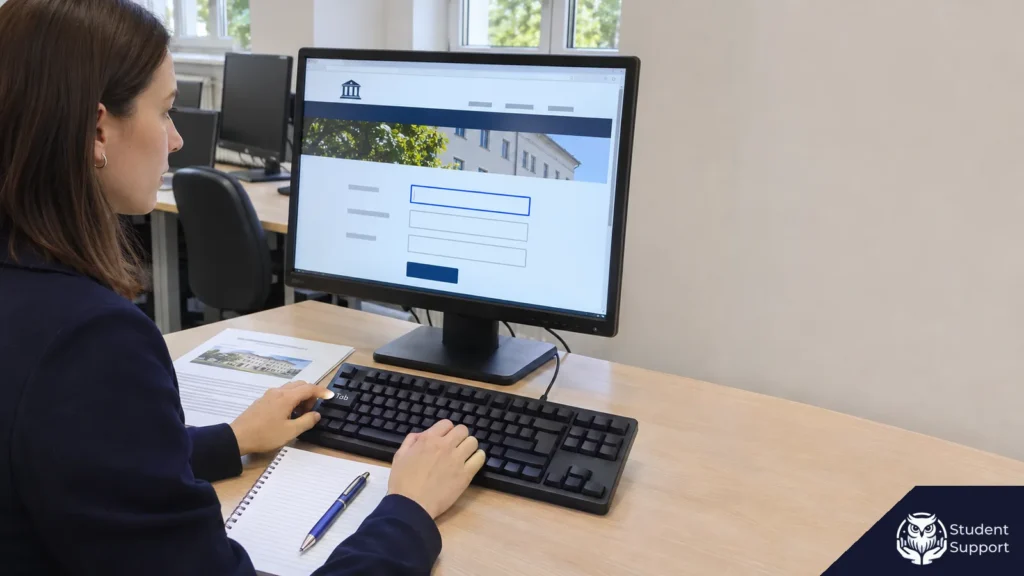
On a public office website, you find an accessibility statement explaining that some PDFs are scans. You open the page for a particular service and see a button labelled “Show required documents”. You can activate it with the keyboard, but before pressing Enter you cannot see that it has focus. Both observations concern using the website, but they call for different tests and records. You can compare the scanned file with a specific disclosure in the statement. For the button, record what it does step by step, then check whether the statement addresses that element.
In a master's thesis in “Public administration” at a university in Poland, you can make this comparison into a case study. Choose a task for a resident, record the scope and date of the accessibility statement, then follow a defined route to the information. The example covers two service pages on the same fictional office website and one link to its separate Public Information Bulletin (BIP), the Polish system for publishing official public information. It shows how to record focus visibility, the readability of a scanned document and access to the information in HTML, then turn those observations into a methods paragraph and a results paragraph. The page names, paths, dates and results in the example are fictional.
How can you frame a research question around a resident's task?
What does the resident need to find or do on the website?
Start with a specific step in using a service. An example goal is “Find out what documents to bring to the office and where to find the current instructions”. This gives you a set of actions you can observe: opening the service page, expanding the documents section, finding the instructions and accessing their contents. If the office explains the process in several places, the scenario lets you record what the user opens and at which point they need each piece of information.
You could frame the main question this way. “How does the accessibility statement for the office's official website relate to what happens when I try to read the instructions and use a keyboard to move through selected elements on two service pages?” A second question concerns the BIP link: “Where does it lead and what role does it play in finding the information?” The main question asks you to match what the statement says against what you observe. The second lets you describe the transition between websites and set the boundary of your interpretation.
During planning, decide where the scenario ends. In this exercise, it ends after you read the specified information and check where the link leads. It stops before you complete or submit any form. If your thesis studies submitting an application, reaching the list of required documents gives you evidence about preparation for that step. The accessibility statement, the service page and the application system may cover different screens and stages of the process.
When is the website the unit of analysis, and when is it a single element?
At the level of the case study, describe one office's official website and a selected part of the user's route. At the level of observation, use smaller units. For a keyboard test, it could be one button in a particular state of the page. When testing whether you can read the instructions, record the PDF and the corresponding HTML content as separate units. For the transfer to the BIP, the unit is the link, together with its location, destination URL and what happens when you open it.
Identify the source of evidence for each unit. The accessibility statement shows the scope and content of what the office declared in the version you saved. The observation record shows what happened when you took the steps in a defined environment. The Polish legislation and WCAG give you terms for specifying the scope and the behaviour you are examining. For a broader view of combining legislation, documents and evidence of how a public office operates, separate the legal basis, the account published by the office and your own record of what the website displayed as you collect the material.
The level of analysis also matters in the results chapter. “No visible focus was observed on the button that expands the list on service page A” identifies a unit and a behaviour. “The office website is inaccessible” makes a judgement about the entire website. Keep the same level of detail at which you collected the evidence. If two buttons look identical and behave differently, keep both observations, each with its own URL and record.
How can you read and preserve the accessibility statement?
Which fields help you compare the statement with the website?
Article 10 of Poland's Act of 4 April 2019 on the digital accessibility of public sector bodies' websites and mobile applications sets out the duty to prepare and publish an accessibility statement and specifies what it must include. Article 10(7) permits publication on the website the statement covers or on another suitable website. Article 10(8) concerns access to the link when navigating the website. Article 11 requires an annual review and update by 31 March, and prompt action when changes may affect digital accessibility. The Ministry of Digital Affairs' technical requirements, version 2.0, describe the structure of the published document. Consult the relevant source when naming a field or explaining what a provision covers in the case study.
Start with the name of the public body and the URL of the website the statement covers. Also record where the statement is published, how you found it and the final address if you were redirected. These details matter if the service page footer contains both “Accessibility statement” and “Public Information Bulletin”. A document published on another domain can still cover the main website. Its scope tells you what it covers, while its publication URL tells you where you found it.
In the compliance section, record the status stated by the office and the details that apply to the units you are observing. A notice about scans “in archived material” has a narrower scope than a general reference to “some PDF files”. A notice about a specific navigation component does not automatically cover every button that looks like it. Keep a complete copy of the document in your working material. In your analysis, paraphrase the relevant passage and give the section name and your evidence identifier.
Record the dates separately. The date the website was published, the date it was last substantially updated, the date the statement was prepared, the date it was reviewed or updated and the time of your own observation refer to different events. If the statement also gives a date or method of assessment, record it under the field name. If a date is missing, say which one you could not establish and leave its place blank. This lets you see how much time passed between the dated statement and the test, and which changes its wording covers.
How can you document the version you read on the day?
Save the source material before testing the service pages. Open the statement from the website's link and give your record an identifier, such as D1. Keep the initial and final URLs, the date, time and time zone, the page title and a copy of the text you read. If you save the HTML locally, check that it includes the text you are studying. For content that loads only after opening a section, also record the passages and their headings. A downloaded copy can omit material the browser displayed.
The URL and the copy serve different purposes. The URL takes you to the current page. The copy lets you revisit the version you describe. Save a later version under a new identifier. To compare it with the earlier one, read the same passage in both and record the dates you accessed them. Identifying a difference lets you say what changed between the two observations. To find the exact time of the change, you need a publication history or another dated record.
In the exercise, D1 is the statement for the fictional office's main website, opened via the footer at /deklaracja-dostepnosci on 18 August 2026 at 10:00 local time in Poland. The document covers the main website, gives the status as partially compliant and lists 18 March 2026 as the date of its last review. The relevant section lists scans of some PDF instructions and says that the instructions in this group are also available as HTML from the service pages. It contains no statement about the “Show required documents” button or whether focus on that control is visible. Record these four details in D1, using the “Inaccessible content” section as the source of the paraphrase about the instructions.
The fictional statement covers only the main website. Before analysing the transition to the BIP, record that you are examining the link on a page of the main website. If you also want to study the destination page after following the link, define a separate scope for that work. In a real project, you can look for the statement that covers that BIP website and include it as a second source. Here it is enough to record the URL and heading that appeared after you activated the link.
How can you select two service pages and a link to the BIP?
Why make a purposeful selection in this case study?
Choose pages for the functions relevant to your research question. In the example, you include a publicly accessible page with links to PDF and HTML instructions and a second page on the same website with a button that performs the same function. The second page also links to the BIP. The content and location of the elements guide the selection. In your methods, say where you got the list of pages you considered, what you looked for and when you set the inclusion criteria. Purposeful sampling lets you select units that can provide evidence for your question. Palinkas and colleagues describe this approach in their work on purposeful sampling in qualitative and mixed-methods research.
In your own study, you can list the pages in the office's service directory on a particular day, then record how many include the function under study. If several pairs fit, set an explicit rule for choosing, such as the first two pages from different categories in catalogue order. If the directory has no page with links to both formats, record that outcome of applying the criterion. If you extend the list to include pages found through search or in the footer, record the change in how you selected the material. This lets readers distinguish the material that came from the original rule from anything added after the test.
The second page provides a comparison for the same keyboard task. Both pages have a button labelled “Show required documents”. Observing different results on the two pages allows you to pinpoint where a particular behaviour occurred. Identical results would still give you evidence about two specific controls. Estimating how common such problems are across the website would require defining a population of comparable controls and choosing a different sampling design.
How can you record the units and criteria before testing?
In the fictional example, give each unit a short identifier. Keep the same identifiers in the procedure, observation records and thesis paragraphs. The paths are illustrative. In your own study, include complete URLs and any redirects in the appendix.
- K1. “Collect a certificate” service page, at
/sprawy/odbior-zaswiadczenia. It has a button that expands the document list. The “PDF instructions” and “HTML instructions” links sit below the button, outside the list, and remain available when it is collapsed. Start with the list collapsed, its default state. Observe the control's focus before activation and what happens when you press Enter. - K2. “Access case files” service page, at
/sprawy/wglad-do-akt. Its button has the same label and initial state as on K1. This is also the source of the “Public Information Bulletin” link under “Documents and related information”. - P1. PDF instructions from K1, at
/pliki/instrukcja-odbioru.pdf. Open the two-page document and check three places: the title, the sentence about where to go, and the next paragraph, which explains what happens during the visit. - H1. HTML instructions from K1, at
/sprawy/odbior-zaswiadczenia/instrukcja. Check whether the link opens the instructions and whether they include the same three pieces of information as P1. Record whether the HTML version covers the same stage of the process and carries the same edition number as the PDF. - B1. Link from K2 to the BIP. Check its label, whether it can receive keyboard focus and be activated, and the URL and heading of the destination page. In the example, the URL changes from the main website's domain to the separate BIP domain, and the destination heading reads “Information on how to access case files”.
The check for the control consists of three questions. Does pressing Tab move focus to the button? Can you see that it has focus without using a mouse? Does pressing Enter open the list assigned to it? Record three answers. For the instructions, record separate results for the PDF text layer, whether you could reach the HTML version and whether the three items matched across the two formats. For B1, record what happened after activation, including a sign-in request, an error message or a change of URL if any occurred.
How can you plan a repeat and record a test you could not run?
Repeat each sequence from the same agreed starting state. In the exercise, you run two passes on a desktop computer in the same browser, at 100% zoom and with the same 1440 × 900 pixel viewport. Each time, open the service page from its URL, start at the top of the document and use the keyboard. If the website displays a banner, decide in advance how you will handle it in each pass. In your own study, note the operating system, browser name and version, and relevant settings, including accessibility options or extensions. The exercise uses Firefox on a desktop computer, and both sessions begin with no active overlay.
If the second pass displays a different view, keep both results and note what changed. For example, a message might cover the button only on the second pass. Record the result as variable and explain which part of the scenario you could complete. If the page did not open at all, write “test not performed” and state the reason. An error opening the URL tells you something about access to the page. It does not give you an observation of focus on a control within the page. Keeping these records separate matters if your supervisor asks how many pages you were actually able to test.
How can you reproduce the keyboard sequence and check both sets of instructions?
How can you tell whether the button has visible focus?
Focus identifies the element that will receive the next keyboard action. As you move through a page with Tab, it may appear as an outline, a background change, an underline or another visible indicator. WCAG 2.1 Success Criterion 2.4.7 concerns visible keyboard focus. The Polish government's guidance on basic checks recommends using Tab to move through interactive items and checking which item is highlighted. The exercise applies this principle to two buttons in a defined scenario. Assessing the whole page against the criterion would take a wider set of checks.
- Open K1 at the top of the document in the chosen window. Make sure the document list is collapsed and the mouse pointer is over neither the button nor a neighbouring link.
- Use Tab to move through the elements. In this part of the page, focus first reaches the “Office hours” link. Record its visible indicator as a reference and note whether the next Tab highlights the “Show required documents” button.
- On reaching the button, check what you can see before activating it. On K1 the outline around “Office hours” disappears, and no element appears highlighted. After the next Tab, an outline appears around “PDF instructions”.
- From the visibly highlighted “PDF instructions” link, use Shift+Tab to go back one position. Look at the control, then press Enter. If the “Required documents” list opens, the response indicates that the button was reachable and could be activated from the keyboard, even though it had no visible focus indicator at the moment observed.
- Repeat the sequence on K2. Move from “Office hours” to the button and record how it looks before pressing Enter. On K2 the button gains a clear outline, and Enter opens the list. After closing and reopening the pages for the second pass, the results are the same for both controls.
If nothing visibly changes after Tab, the screen alone may not tell you whether focus skipped the control or reached it with no visible indicator. On K1, record the movement between links, the step back and the response to Enter separately. If activation gives no clear indication, in your own study you can check the active element using browser tools. Keep this technical check separate from the visual observation in the test. If you still cannot establish where focus went, mark the result as inconclusive and record the steps you took.
How can you check the PDF text and the contents of the HTML version?
Open P1 from K1 and record the title and number of pages. In the exercise, the file opens in the browser's PDF viewer. Two scanned pages are visible, and the document is marked as edition 1. Try to select the sentence about the service point below the title on page 1 and the first paragraph on page 2. Then search the file for the phrase “punkt obsługi” (service point). None of these actions produces a result in the exercise. The test covers the text of the instructions, excluding the service page title, the viewer controls and the file name. Repeat the same steps after reopening the document and record which passages you checked. The viewer can affect whether search and text selection work, so record its name alongside the observation.
Return to K1 and open “HTML instructions”. Follow the link from the service page to test the route a resident would take. In the exercise, the link opens a working text page. You can find and select the title, the information on where to go and the paragraph about the visit. The page lists edition 1. Compare these passages with what you can read visually in P1, in the same order. In both versions, the location is described as the service point named on the service page, and the description concerns preparation for the same visit. In your own study, give each item a more specific identifier if you want readers to be able to repeat the check without quoting entire documents.
The PDF text layer and access to the HTML instructions concern two different objects. You can record the results as “search and selection failed for the passages tested in P1 in the viewer used” and “H1 can be opened from K1, and the three items tested can be read as text”. If the HTML page is missing, displays an error or omits an item, say where the comparison ends. HTML makes it possible to present the instructions as text. A fuller assessment would also examine the way the page is navigated, its content structure and other behaviour. This exercise checks whether you can reach the instructions and read the chosen information.
What should you record after opening the BIP?
On K2, use Tab to reach “Public Information Bulletin” and press Enter. In the exercise, the link has a visible outline before you press Enter. The browser moves to the separate BIP domain and displays the heading “Information on how to access case files”. In the observation record, note where the link appears, what happened when you activated it, the URL change and the destination heading. If the URL in the link differs from the URL after a redirect, record that as well.
Finish the B1 test once you have read the destination heading. If the link opens the BIP home page, record that outcome. If it leads to another page, record the title and assess whether it serves the goal set in your scenario. The change of domain marks a transition between websites. In the example, D1 covers the main website, so the observation of the link on K2 falls within its scope. The destination heading identifies where the link took you. A study of the BIP itself would need separate tasks and sources for that website.
How can you record results so readers can trace them to a specific step?
What should the observation records contain after the two passes?
In each observation record, link the unit identifier, conditions, step, observation and result on repeat. If you check several elements in one session, record the shared settings once and add the session identifier to each entry. Specify the point in the sequence, such as “from the Office hours link after pressing Tab once”, and record what happened before interpreting it. In the fictional exercise, both passes took place on the same morning. Separate entries show which results come from the same page and which come from successive actions.
- O1 – K1, “Show required documents” button. After Tab from “Office hours”, the outline around that link disappears and the button has no visible indicator. Pressing Tab again shows an outline around “PDF instructions”. Shift+Tab followed by Enter opens the list. On both passes the button could be reached and activated, with no visible focus before activation. Compare this result with the behaviour described in WCAG 2.1 Success Criterion 2.4.7.
- O2 – K2, “Show required documents” button. After Tab from “Office hours”, an outline appears around the button before Enter. Pressing Enter opens the list. The second pass gives the same result. O2 describes the control on K2 with the list initially collapsed.
- O3 – P1, “PDF instructions”. The file opens from K1 and contains images of two pages of the instructions, marked as edition 1. On both passes, selecting the passages and searching for the phrase “punkt obsługi” failed in the viewer used. The text can be read visually. Record the number of each page, the location of each selection and the search phrase so someone can repeat the test.
- O4 – H1, “HTML instructions”. The link from K1 opens the instructions marked as edition 1. The title, service location and details of the visit match the three items checked in P1. They appear as text and can be selected and found in both passes. The result covers the three comparison points and the route from K1.
- O5 – B1, “Public Information Bulletin”. On K2 the link has visible focus before Enter. In both passes, activating it opens the separate BIP website, on a page headed “Information on how to access case files”. The observation ends there. In your own project, record both URLs if there was a redirect and say whether the destination opened in the current tab.
When an observation fails one of your working criteria, keep enough evidence to show how you applied it. For O1, a single image of the button may give no indication of where focus was. The written sequence helps, as do images of the previous state, the state you observed and the next state if you are recording the screen. For O3, keep the file's URL and identify the passage. If new instructions replace the file at the same URL a month later, the edition details will help you distinguish a file replacement from a problem reproducing the test.
How can you compare the accessibility statement with the five observations?
After testing, return to D1 and ask the same question for each item: which passage in the statement addresses what you tested? For O3, the statement mentions that some PDF instructions are scans, and you have an example of a file in which selecting and searching for text failed. The behaviour matches the type of barrier described. For O4, the statement says that HTML instructions are available from service pages, and the link worked on the page you tested. Finding three matching items lets you link the alternative to P1 within the scope of the test. Keep the result and limitations of each observation with its own record.
For O1, the lack of a reference to focus on the button means D1 contains no statement you can directly compare with the behaviour. Write “barrier observed, with no reference to the control or behaviour in the version of the statement examined”. The overall status of partial compliance cannot tell you whether the office described this issue. The absence of a reference gives no date for when the behaviour first appeared. If the document explicitly said that focus on that particular control is visible when using Tab, you could initially record O1 as a discrepancy with a specific statement. In that case, record the wording and date of the statement with the test conditions.
O2 is a separate result from the same procedure. It makes the difference between the pages visible because it shows that a similar control did display a focus indicator under the same conditions. For O5, note in the statement record that it covers the main website and mark where the test stopped in the observation record. This lets you describe the route from K2 to the BIP and state how much you established about the destination.
When comparing several statements or versions, use the same procedure to match each item. “Observation matches the description” requires a specific passage. “Observation differs from the description” needs a statement about the same element or task. “No direct reference” is useful if the statement describes the issue in general terms or covers another website. “Test not performed” records the absence of an observation. Recording these outcomes lets you discuss differences without collapsing them into a numerical score.
How can you use research and audit findings in the discussion?
In an analysis of selected cases involving Polish public institution websites, Karol Popiołek (2025) described problems with accessibility statements, including where they were published, and technical barriers on the websites. You can use this study to frame questions about whether users can find a statement and how closely its details can be compared with observations of the website. Define in your own procedure which elements you check and what you record. Examples from the published study and observations in your own records have different units of analysis.
A second point of reference is the audit by Poland's Supreme Audit Office (NIK) of architectural, digital, and information and communication accessibility in local government. It covered the period from 1 January 2019 to 20 August 2025 and 16 bodies: eight municipal offices and eight county offices in the Kujawsko-Pomorskie, Zachodniopomorskie, Podkarpackie and Opolskie provinces. The digital component looked at 34 websites against 26 statutory criteria. None of the websites tested met every criterion covered in the audit. NIK also identified accessibility statements at nine offices that fell short of technical requirements or provided incomplete information about inaccessible content and elements. These findings concern the websites and offices examined, respectively. If you cite them alongside your own results, keep the units and scope of the audit and explain the issue the studies have in common. Here, the shared issue is whether statements describe barriers that can be compared with specific website observations.
How can you write up the methods, results and limitations?
What might a methods paragraph look like?
The example below shows how to put the purposeful selection, test conditions and comparison rule in one paragraph. Adapt it for your own thesis by giving the URLs of the units you actually examined, dates and steps. When referring to the keyboard test, say when you checked focus.
The illustrative case study of 18 August 2026 compared the accessibility statement for a fictional public office's main website, labelled D1, with observations of two purposefully selected service pages. K1 provided instructions in PDF and HTML. K2 allowed the procedure to be repeated on a control with a comparable function and included a link to the BIP. In both passes on each page, the button was reached using Tab and focus visibility was recorded before activation with Enter. The tests took place in Firefox on a desktop computer at 100% zoom with a viewport of 1440 × 900 pixels. The PDF was checked for text selection and search. For the HTML version, the test confirmed access from K1 and checked for three selected items from the PDF. Observation of the BIP transition ended after the URL and heading of the destination had been recorded. Each observation was compared with the passages in D1 that covered the relevant units and content.
What might a results paragraph look like?
During both passes on K1, the button that expands the list could be reached from the keyboard and activated with Enter. There was no visible focus indicator before activation in the state tested. On K2, a visible outline appeared on the comparable button in both passes. D1 did not mention focus behaviour on the control tested. P1 matched the description in D1 of instructions provided as scans. The checked passages could not be selected, and a search for the phrase “punkt obsługi” returned no result. The same service page opened H1, which presented the three items checked in P1 as text. The K2 link opened “Information on how to access case files” on the separate BIP website. These results apply to the elements, document versions and test conditions specified.
Use O1 and O2 to locate the results on focus. The finding about the statement points to D1, and the two findings about the instructions have their own identifiers, O3 and O4. This lets an interested reader trace the account to the observation record. In your results paragraph, include only what your records establish about the process. If the behaviour changed in the second pass, report the difference between sessions and consider possible conditions that account for it in the discussion.
Where should you set the limits of the interpretation?
In the exercise, five months passed between D1's stated review date and the observations on the service pages. The instructions, button or website styles could have changed in that time. To test that possibility, you would need earlier versions of the pages or a record of website changes. The state of the element lets you describe how accessible the selected function was in the test environment. Establishing the cause, the time the behaviour first appeared and who was responsible requires other evidence.
Selecting two service pages lets you describe specific routes. The project did not include a full conformance audit, mobile testing, screen-reader testing or research with users of assistive technology. Two passes assess repeatability under one set of conditions. The comparison of the PDF and HTML instructions covers three items, and observation of the BIP covers the heading displayed when you opened the destination. This scope lets you identify a likely difficulty in telling where the next keyboard action will go. Saying how often staff or residents experience that difficulty would require evidence about their use of the website.
When explaining the legal context, cite each criterion or legal provision where it helps explain the methods or terminology. WCAG 2.1 criterion 2.4.7 helps identify the behaviour of the control, and Article 11 explains why the statement's review date and the observation date are recorded separately. Build the final conclusion from the resident's specific action, the recorded result and the limits of the evidence. The absence of a reference in D1 and the observation on K1 are findings about two defined units.
What should you check before handing in the chapter?
- Does the question establish what the resident needs to do and where the scenario ends?
- Does the record of the statement show which website it covers, when it was reviewed and when you read it?
- Can you recreate how keyboard focus reached both buttons, what you observed before Enter and what happened on activation?
- Do the PDF file and the HTML content have separate records that identify the information compared?
- Does the BIP record give the origin of the link, the final URL and the step at which the observation ended?
- Is every claim in the results supported by a specific passage in the statement or an observation with an identifier?
- Does the thesis say which tests you repeated and under what conditions you observed the result?
Questions about documents, study scope and preparing results
Can a public administration thesis be based on documents from the BIP without a survey?
Yes, if the document analysis fits the topic and the supervisor's or university's guidelines. The thesis objective, selection criteria, period, and method of analysis are important. Send the topic, plan, and any available resolutions, regulations, activity reports, or other reports. I will help organise the research design and clarify the role of each source.
Is an access date required for every online source?
Not always. It depends on the citation style, the type of source, and university guidelines. I correct the entire description of the online material, not just the address, taking into account required data and the format for DOI or URL.
How does thesis scope differ from study limitations?
Scope defines the deliberately chosen problem, evidence, population and period. Limitations explain how design features or difficulties restrict interpretation. An omitted topic is not automatically a flaw; the important question is whether the conclusions stay within the stated scope.
How can I connect a limitation to its effect on the conclusions?
Identify a specific feature of the procedure, the finding or claim it affects, and the consequence. Then explain what you actually did to address it and what remains uncertain. A generic list mentioning sample size and time pressure is not enough.
Do I need to have collected data already to prepare the research part?
To describe the results, actual research material is required. Before collecting data, I can help plan the method, tool, and structure of the future analysis. I do not create results or descriptions of participants who did not take part in the study.
Can an already prepared research chapter be improved?
Yes. I can check the consistency of tables, charts, calculations, comments, and conclusions, and adjust the layout to the supervisor's comments. To verify the accuracy of the results, I will also need the source data and the research instrument.
Sources
- Ustawa z dnia 4 kwietnia 2019 r. o dostępności cyfrowej stron internetowych i aplikacji mobilnych podmiotów publicznych, consolidated text in the Polish Journal of Laws, 2023, item 1440, Articles 10-11.
https://eli.gov.pl/api/acts/DU/2023/1440/text.html. - Polish Ministry of Digital Affairs. Warunki techniczne deklaracji dostępności, version 2.0.
https://www.gov.pl/web/dostepnosc-cyfrowa/publikowanie-deklaracji-dostepnosci. - Polish Ministry of Digital Affairs. Jak znaleźć podstawowe błędy dostępności cyfrowej strony internetowej?
https://www.gov.pl/web/dostepnosc-cyfrowa/jak-znalezc-podstawowe-bledy-dostepnosci-cyfrowej-strony-internetowej. - World Wide Web Consortium (W3C). Wytyczne dla dostępności treści internetowych (WCAG) 2.1, authorised Polish translation, Success Criterion 2.4.7, “Focus Visible”.
https://www.w3.org/Translations/WCAG21-pl/#focus-visible. - Popiołek, K. (2025). Dostępność cyfrowa stron internetowych według standardu WCAG. Studia Europaea Gnesnensia, 27, 45-66. DOI
10.14746/seg.2025.27.3.https://pressto.amu.edu.pl/index.php/seg/article/view/52761. - Palinkas, L. A., Horwitz, S. M., Green, C. A., Wisdom, J. P., Duan, N., Hoagwood, K. (2015). Purposeful Sampling for Qualitative Data Collection and Analysis in Mixed Method Implementation Research. Administration and Policy in Mental Health and Mental Health Services Research, 42(5), 533-544. DOI
10.1007/s10488-013-0528-y.https://pmc.ncbi.nlm.nih.gov/articles/PMC4012002/. - Najwyższa Izba Kontroli (2026). Dostępność architektoniczna, cyfrowa i informacyjno-komunikacyjna w samorządach.
https://www.nik.gov.pl/aktualnosci/dostepnosc-architektoniczna-cyfrowa-i-informacyjno-komunikacyjna-w-samorzadach.html.
Writing up observations for a public administration thesis?
Send your research question, dated accessibility statements, observation records and a draft of your results. We can help refine the methods, connect the interpretation to the evidence and explain the limitations of the case study.
Discuss your research chapter with StudentSupport